Build iOS App with SwiftUI: Your Guide to Modern iOS App Development
Learn to build iOS apps with SwiftUI. Explore techniques and best practices to create stunning, efficient apps for iPhone and iPad today.

Share This Article
Introduction
Building iOS apps has become more intuitive and efficient with SwiftUI. Introduced by Apple, SwiftUI provides a modern way to create user interfaces across all Apple platforms. If you're looking to build dynamic, responsive, and visually appealing iOS apps, SwiftUI is your go-to framework. This guide will walk you through the steps and best practices for developing an iOS app using SwiftUI.
Why Choose SwiftUI for iOS App Development?
SwiftUI offers numerous advantages for developers:
- Declarative Syntax: Write less code to achieve more with declarative UI elements.
- Cross-Platform Compatibility: Build interfaces for iOS, macOS, watchOS, and tvOS using a single codebase.
- Live Previews: Get instant feedback while designing the UI in Xcode.
- Seamless Integration: Work seamlessly with Swift and other Apple frameworks.
- Improved Performance: Faster and more responsive apps due to optimized code.

Step-by-Step Guide to Build an iOS App with SwiftUI
1. Set Up Your Development Environment
Download and install the latest version of Xcode from the Apple Developer website.
2. Create a New SwiftUI Project
-
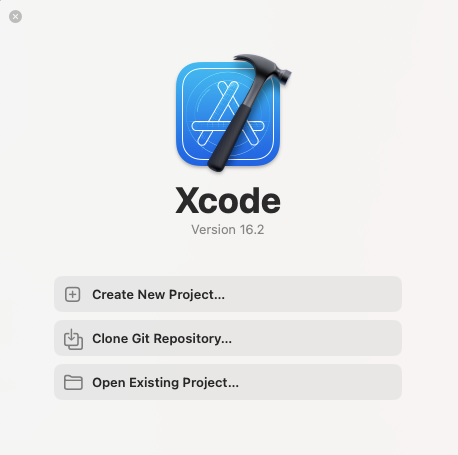
Open Xcode and select "Create a New Project."
-
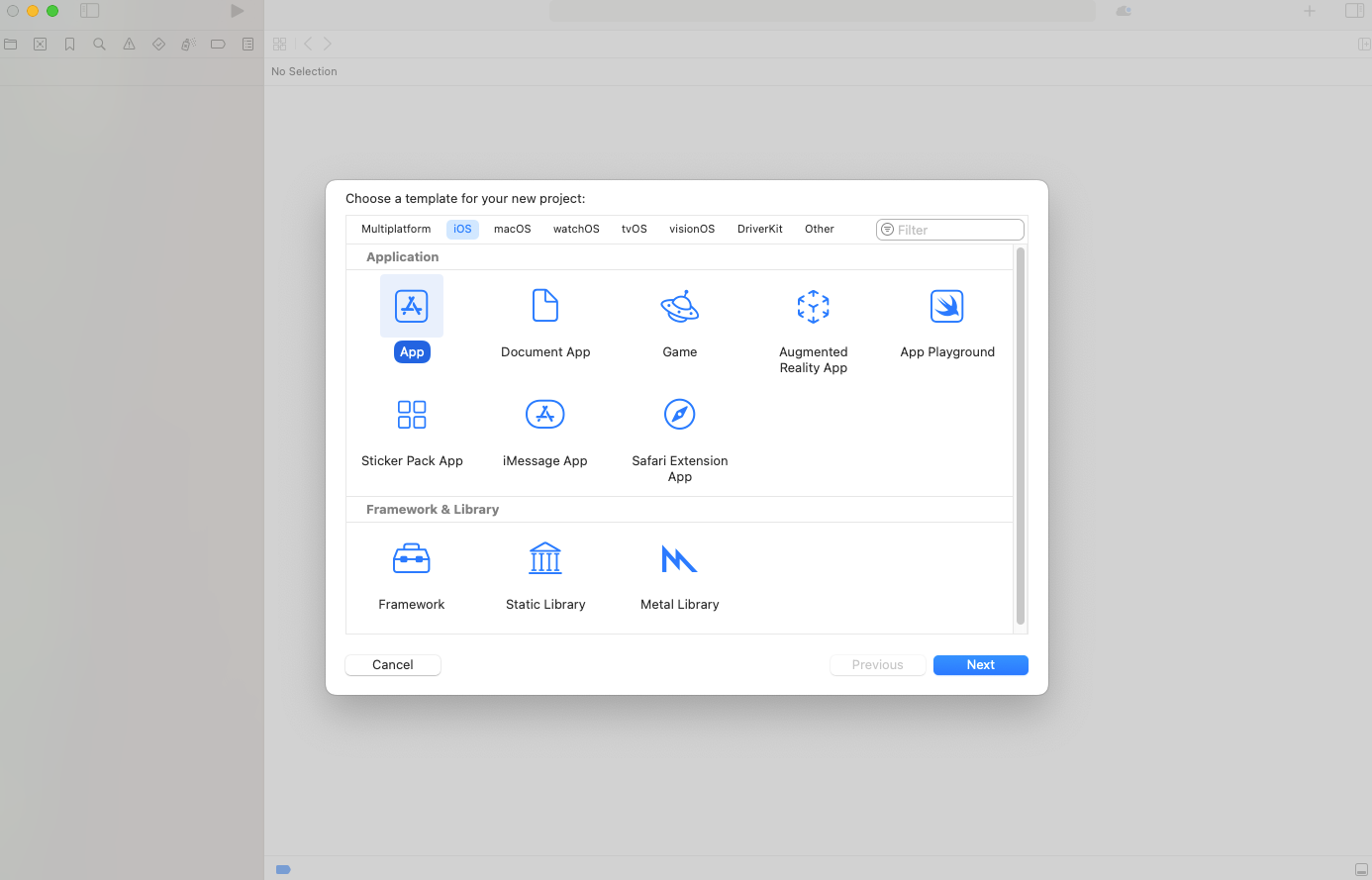
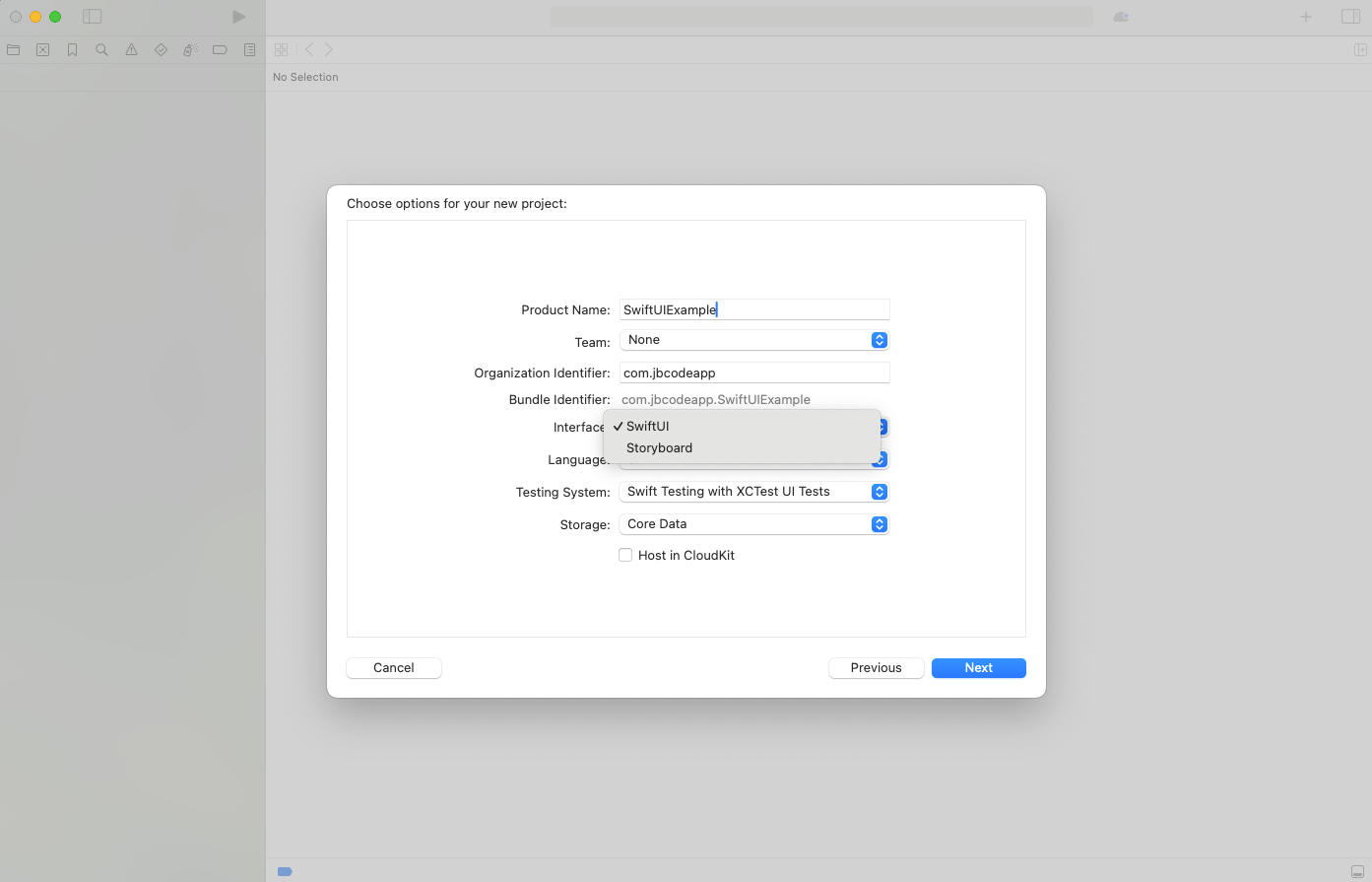
Choose the "App" template under iOS and ensure SwiftUI is selected as the interface.
3. Define Your App's UI Using SwiftUI Views
Below is an example of creating a simple UI with SwiftUI:
import SwiftUI

struct ContentView: View {
    var body: some View {
        VStack {
            Text("Hello, SwiftUI!")
                .font(.largeTitle)
                .padding()
            Button(action: {
                print("Button tapped!")
            }) {
                Text("Click Me")
            }
        }
    }
}
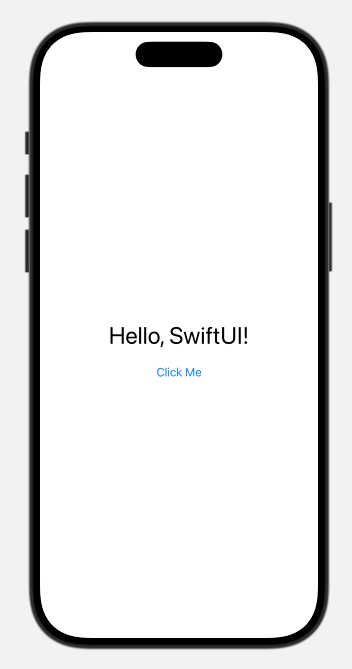
4. Test the App with Live Preview
Use Xcode's live preview to see changes in real-time as you build the UI.
5. Add App Logic and Features
Implement necessary business logic, API integrations, and user interactions.
6. Test and Debug Your Application
Test your app on different devices and iOS versions using Xcode's simulators.
7. Submit to the App Store
- Follow Apple's guidelines for App Store submission.
- Ensure your app passes all required tests before submission.
Best Practices for SwiftUI App Development
- Adopt MVVM Architecture: Organize your code efficiently by separating business logic and UI components.
- Use Animations: Enhance user experience with built-in SwiftUI animations.
- Optimize Performance: Keep views lightweight and avoid unnecessary state updates.
- Focus on Accessibility: Make your app accessible to a broader audience by using accessibility modifiers.
- Regular Updates: Keep your app up-to-date with the latest iOS and SwiftUI features.

Author Info
Bhumika Patel
Senior iOS Developer & Educator
Bhumika Patel is a senior iOS developer with over 4+ years of experience building successful applications for companies like Apple and Google.
Frequently Asked Questions
Find answers to common questions about the topic.
Yes! SwiftUI is stable and widely used in production apps, especially for new projects targeting recent iOS versions.
Absolutely. You can embed SwiftUI views in UIKit and vice versa, allowing for gradual adoption.
SwiftUI is generally easier for beginners due to its declarative syntax and live previews.
Not yet. Some advanced or niche UIKit features may not be available in SwiftUI, but the gap is closing each year.
No. UIKit is still fully supported and maintained by Apple, with no signs of deprecation.
Related Articles
Continue your iOS development journey with these related articles.