Swift vs SwiftUI Comparison: Choose the Right Framework for Your iOS App
Compare Swift vs SwiftUI for iOS apps. Learn UIKit and SwiftUI differences, modern Swift patterns, and how to choose the right framework for your project.
Share This Article
Introduction
Dive into the vibrant world of iOS app development with a comparative lens on Swift and SwiftUI. If you’ve ever felt overwhelmed by choosing the right tools for building a modern iOS app, you’re not alone. With Apple continuously innovating, selecting the best framework directly impacts your app's success, development speed, and user experience.
This guide will walk you through the essentials of Swift vs SwiftUI comparison, including their key differences, real-world applications, and tips to make an informed choice for your project. Whether you're building your first app or scaling a complex application, you’ll find actionable insights here to navigate the world of frameworks confidently.
What is Swift?
Swift, introduced by Apple in 2014, It's powerful,fast and intended to provide developers with the ability to write clean, error-free code in no time.
Key Features of Swift
- Modern Syntax: Write clear, readable code that is simple to comprehend and maintain.
- Safety First: Stay crash-free with Swift's integrated next-generation safety features.
- Optimized Performance: Provides best available speed and efficiency for CPU-intensive programs.
- Integration Powerhouse: Integrates stunningly with Cocoa and Cocoa Touch frameworks, making the whole family of Apple APIs at your fingertips.
Use Cases
Swift is ideal for:
- Backend-heavy apps requiring complex logic.
- Data-driven applications with performance as a top priority.
- Large-scale apps where maintainability is critical.
Explore the depths of Swift to start your iOS app building journey.

What is SwiftUI?
Released in 2019 as part of iOS 13, SwiftUI is Apple's declarative framework designed specifically to revolutionize UI creation. Forget about writing tons of boilerplate code SwiftUI puts simplicity and speed at the forefront of UI development.
Key Characteristics of SwiftUI
- Declarative Syntax: Define what your interface should do instead of explaining how it works.
- Live Previews: Instantly see your design changes in Xcode,saving hours of development time.
- State Management: Seamlessly track and update user interactions.
- Native Integration: Optimized for Apple’s ecosystem,ensuring apps look great across devices.
Use Cases
SwiftUI is best for:
- Apps prioritizing stunning visuals and dynamic interactions.
- Small-to-medium projects requiring fast iterations.
- Building UIs for Apple Vision Pro and emerging Apple platforms.
Why Swift and SwiftUI Matter in iOS Development
In the rapidly evolving iOS app development landscape, your ability to deliver robust and seamless apps is paramount. Developers often combine Swift (for app logic) and SwiftUI (for UI) to meet today’s high-performance and visually rich app expectations.
Key Roles
- Swift: The backbone of your codebase, managing everything from data handling to performance optimization.
- SwiftUI: What your users see and interact with, improving usability and engagement.
Why it’s Trending
- Growing demand for rapid deployment in a competitive market.
- End-users expect apps to be both functional and visually mesmerizing.
- Apple’s integration-first ecosystem rewards developers who master both frameworks.
Dive into SwiftUI for intuitive and flexible UI design.
How to Choose Between Swift and SwiftUI
So, how do you pick Swift or SwiftUI for your next project? Your choice is made depending on several factors, from app complexity to familiarity with your team.
Decision-Making Factors
-
Technical Complexity:
- Low-level or custom features-based apps are where Swift is more helpful.
- Apps with a lot of animations or interactions are SwiftUI's playground.
-
Scalability Needs:
- Want stress-free scaling? Swift-based architectures like MVVM or VIPER are more flexible in the long run.
-
Development Speed:
- SwiftUI is time-saving for UI design, ideal for fast-paced deadlines or quick MVP builds.
Example Scenarios
- Use Swift for: Apps like financial calculators that require intensive backend computations.
- Use SwiftUI for: Social media apps where visuals and fluid interactivity are key.
Benefits of Using Swift and SwiftUI Together
Why compromise when you can have the best of both worlds? Combining Swift and SwiftUI gives you capabilities no single framework alone can achieve.
Synergistic Advantages
- Balanced Development: Enjoy Swift’s robustness for core logic and SwiftUI’s magic for UIs.
- Code Efficiency: Write less boilerplate code without sacrificing functionality.
- Adaptability: Update UI designs easily using SwiftUI, even on legacy Swift apps.
Integration Example
Leverage Core ML in Swift to power AI features while using SwiftUI for dynamic layouts. Think predictive text suggestions paired with visually dynamic keyboards.
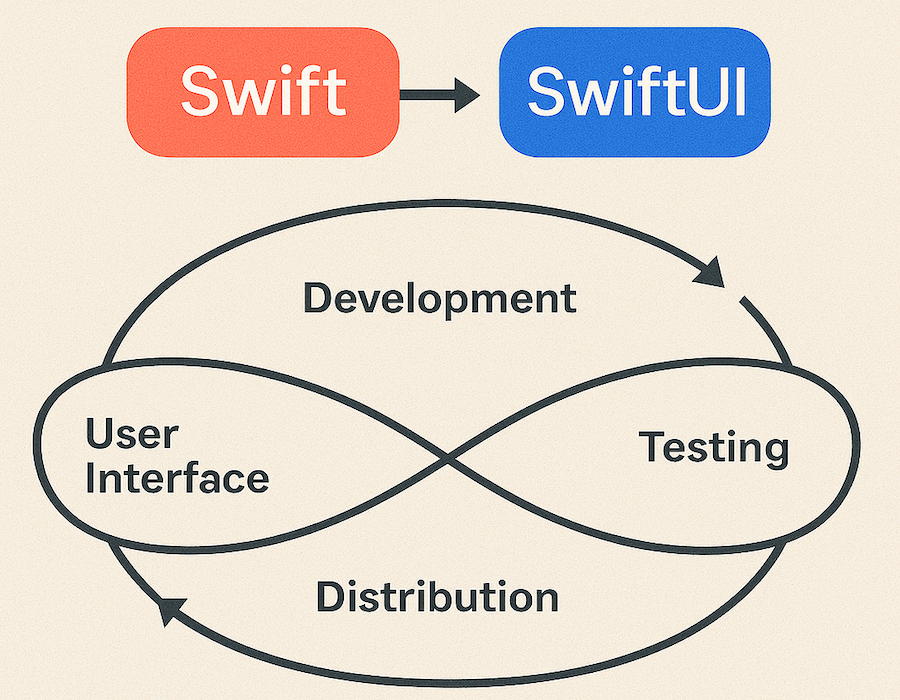
Understand the significance of Swift and SwiftUI in shaping iOS development.
Challenges of Integrating Swift with SwiftUI
Let’s be real—no solution is perfect. Integrating both frameworks can present some unique challenges.
Challenges
- Learning Curve: SwiftUI’s declarative syntax can feel alien for those used to UIKit or imperative programming.
- Performance Bottlenecks: Not optimizing your combined app code can slow down your app.
Solutions
- Gradual Adoption: Start small—use SwiftUI for secondary app features before fully committing.
- Regular Profiling in Xcode: Pinpoint bottlenecks and resolve them early.
Real-world Examples of Swift and SwiftUI in Action
Some of the world’s most-used apps leverage the powerful combination of Swift and SwiftUI to stand out.
Case Studies
- App X: Uses Swift for its data-crunching backend while delivering an immersive user interface with SwiftUI.
- App Y: Banks on product visualizers to showcase its catalog, using SwiftUI’s animation power.
Industries Leading the Way
- Fintech apps process millions of transactions with Swift logic while maintaining sleek SwiftUI dashboards.
- Social media platforms leverage SwiftUI animations for a seamless feed-scrolling experience.
Discover how to make an informed choice between Swift and SwiftUI.
Best Practices for Developing with Swift and SwiftUI
Want to unlock your app’s full potential? Keep these best practices in mind.
Pro Tips
- Modular Design: Break your app into small units for easier upgrades.
- SwiftUI Previews: Spot design flaws in real-time and catch errors early.
- Community Involvement: Explore forums and GitHub repositories—there’s a large, supportive developer base.
Conclusion
Choosing between Swift and SwiftUI doesn’t have to be a daunting task. By understanding each tool’s strengths and use cases, you can find the perfect balance to build scalable, stunning iOS applications.
Ready to build the next big app? Explore BhumikaiOS services for guidance, mentorship, and cutting-edge iOS App Development solutions. Let’s make your vision a reality.
Unlock the synergy of using Swift and SwiftUI together for powerful app development.

Author Info
Bhumika Patel
Senior iOS Developer & Educator
Bhumika Patel is a senior iOS developer with over 4+ years of experience building successful applications for companies like Apple and Google.
Frequently Asked Questions
Find answers to common questions about the topic.
Swift is a powerful and intuitive programming language designed by Apple for iOS, macOS, watchOS, and tvOS app development. It offers a modern syntax, safety, and performance, which makes it easier for developers to write code.
SwiftUI is a framework introduced by Apple that allows developers to build user interfaces across all Apple platforms. It simplifies UI design with a declarative Swift syntax and integrates seamlessly with other frameworks like UIKit.
Swift and SwiftUI are crucial because they enable developers to create optimized, resilient, and responsive user interfaces for iOS apps. They form the foundation of modern iOS app development with improved efficiency and a more streamlined coding process.
Choosing between Swift and SwiftUI depends on your app requirements. Swift is ideal for complex logic and existing UIKit projects, while SwiftUI offers simplified UI development for new apps and rapid prototyping.
Using Swift and SwiftUI together allows developers to leverage the full power of Swift's language features with the simplicity of SwiftUI's declarative syntax, resulting in faster development times and cleaner code.
Related Articles
Continue your iOS development journey with these related articles.