The Ultimate Guide to App Store Submission Process for iOS Apps
Discover how to navigate the app review process smoothly. Learn the exact steps to launch your iOS app on the App Store and ensure a seamless deployment.
Share This Article
Introduction
Welcome to your journey of launching an iOS app on the Apple App Store! Let’s face it — submitting an app to the App Store can feel like climbing a mountain when you're new, or even if you're experienced but rusty. But if done right, mastering the App Store submission process can open the doors to millions of potential users within the Apple ecosystem. Who doesn’t want that, right?
In this blog, we’ll walk you through everything you need to know about submitting your app to the App Store — from preparation to adhering to Apple’s guidelines and even navigating the review process. By the end of this post, you’ll feel confident and ready to get your app out there. Let’s dive in!
What is the App Store Submission Process?
You've built your dream app, invested hundreds of hours writing and refining it, but now the question on everyone's mind: How do you actually get it live on the Apple App Store? The process isn't simply upload and click "Submit" there's a workflow to navigate.
Key Elements of the Submission Process:
- Technical Compliance: Your application will need to comply with Apple's technical specifications, developed with Swift programming, Objective-C and software such as Xcode and the iOS SDK.
- UI/UX Standards: Apple expects high-quality UI/UX design in accordance with its Human Interface Guidelines..
- Testing and Compatibility: Your app will be tested on different screen sizes, devices and iOS versions to provide users with a smooth experience.
The App Store submission process is not just an admin task; it’s the final quality check that ensures your app holds up to Apple’s industry leading standards.
Master the app submission journey with our guide.
Why App Store Submission Matters
You might be wondering, “Why does this process even matter so much?” Well, let’s break it down.
1. Visibility and Reach
The Apple App Store is one of the largest digital marketplaces in the world, boasting over 1.6 million apps. By publishing your app here, you gain access to a vast, global user base that can drive incredible growth for your business.
2. Trustworthiness
Unlike other platforms, Apple’s review process ensures a layer of trust. Apps approved by Apple are perceived as higher quality, which can increase downloads and boost user confidence.
3. Integration into the Apple Ecosystem
When your app becomes a part of the Apple ecosystem, you enhance the experience for users across devices like iPhone, iPad, and even the new Apple Vision Pro. It positions your app as a professional solution seamlessly woven into users’ lives.
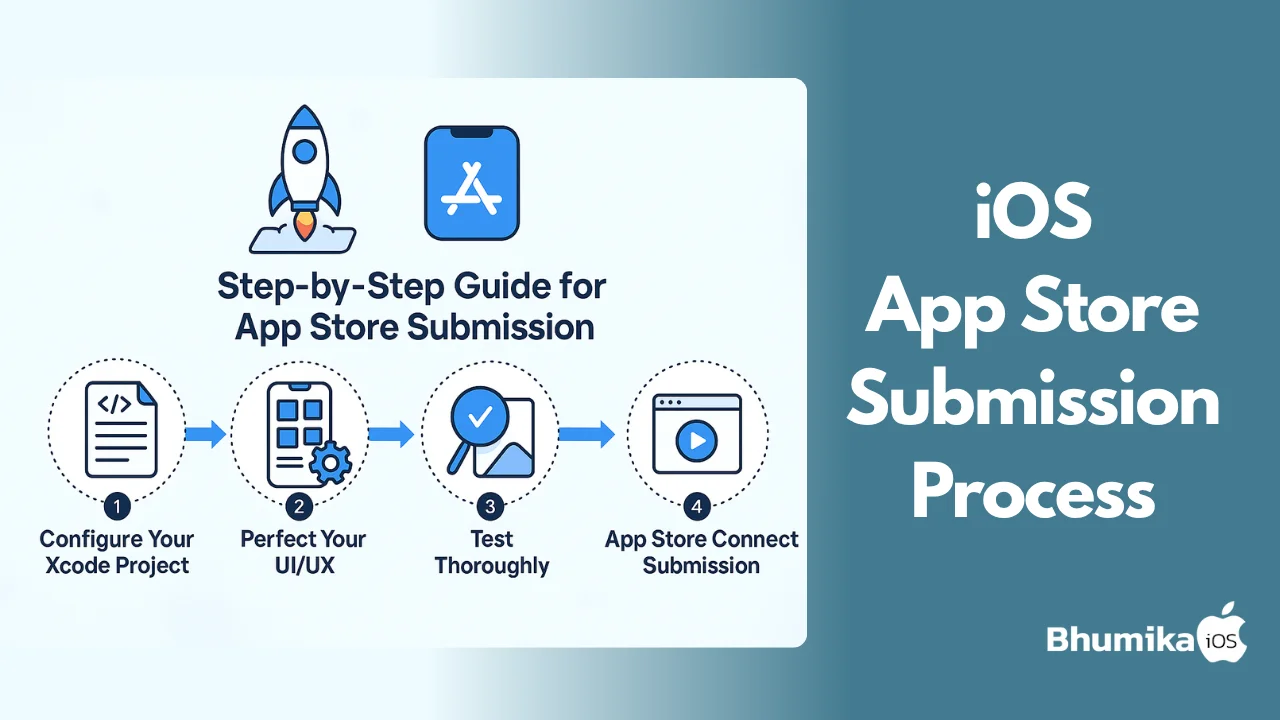
How to Submit Your App for Review
Now let’s get to the juicy part — the actual steps to submit your app. Follow these closely, and you’ll optimize your app’s chances of approval.
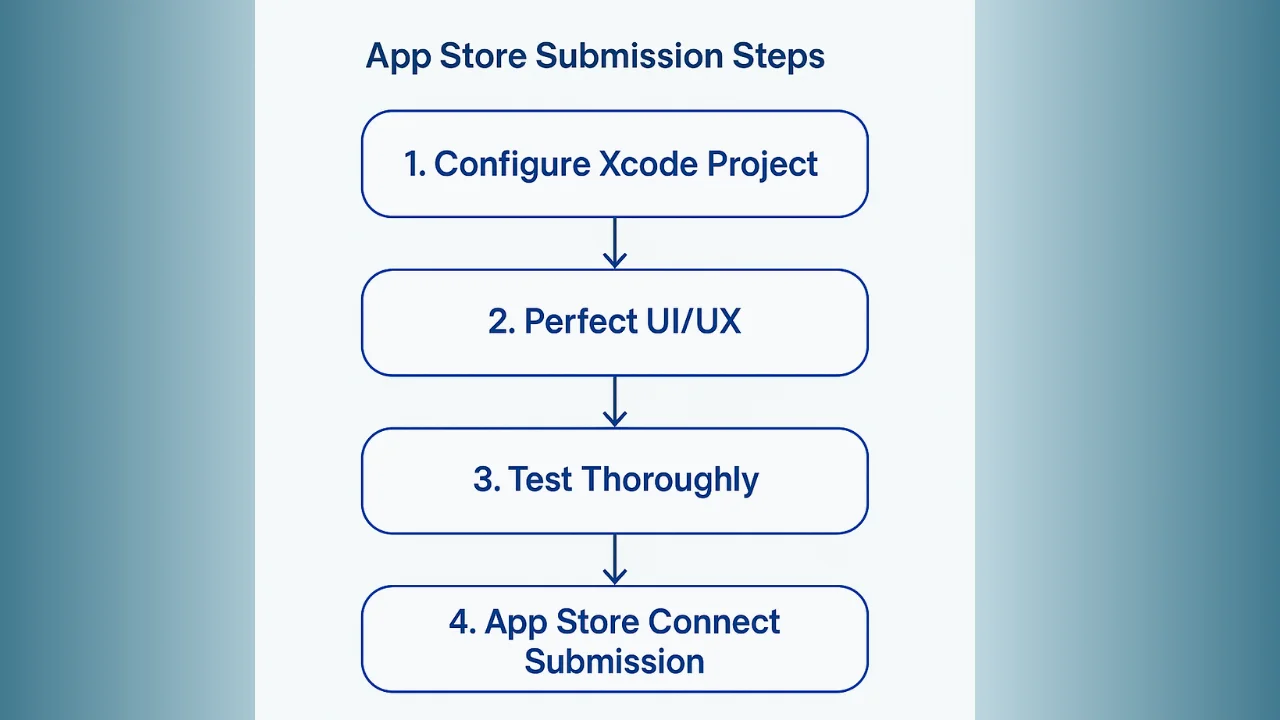
Step 1: Configure Your Xcode Project
- Open your project in Xcode and set up your app with required details like Bundle ID, build settings, and icon assets.
- Ensure you’ve used Swift programming or Objective-C properly and that the code follows Apple’s best practices.
Step 2: Perfect Your UI/UX
- Take a final pass at your app’s UI/UX design to ensure it aligns with Apple's guidelines.
- Use real-world feedback or beta test with TestFlight to iron out any functional quirks.
Step 3: Test Thoroughly
- Test the app on multiple devices using Xcode's simulator and physical devices.
- Validate compatibility with the latest and previous iOS versions.
Step 4: App Store Connect Submission
- Log in to App Store Connect and upload your app file (
.ipa) generated via Xcode. - Fill in essential details like app description, category, pricing, and keywords.
- Double-check screenshots — they should be high-res and visually showcase your app’s features.
Post-Submission:
Once submitted, Apple reviews your app. Their team may take up to 48 hours or longer. Be patient and ready to respond to queries or make fixes if your app gets rejected.
Discover why getting your app on the App Store is critical.
Benefits of a Thorough Submission Process
Sticking to a robust submission process isn’t just about following rules. There’s a hidden benefit to doing things the right way.
- Higher Approval Chances: Apps that meet all guidelines are more likely to get approved the first time.
- Better User Reviews: A polished app leads to a smoother user experience, fewer complaints, and higher customer ratings.
- Boosts Brand Reputation: High-quality apps showcase your commitment to excellence, building trust and credibility.
Challenges in the App Review Process
Let’s be real — things can go wrong. Apple’s review process is notoriously strict, and even senior iOS developers sometimes hit roadblocks.
Common Challenges:
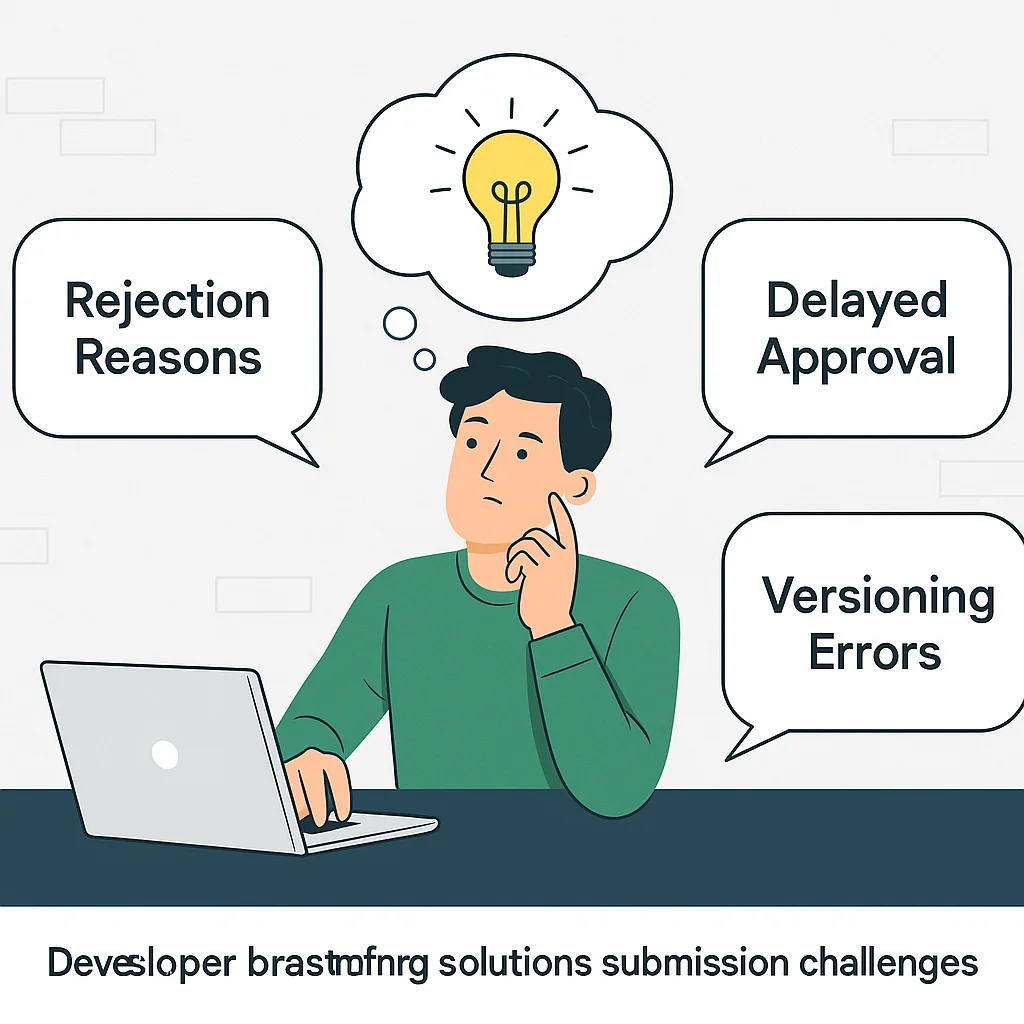
- Rejection Reasons: Frequent issues include guideline violations, incomplete metadata, or app bugs.
- Versioning Errors: Submitting a debug build instead of a release build — we’ve all been there.
- Delayed Approval: Sometimes there’s no reason, and Apple just takes time.
How to Overcome Rejections:
- Thoroughly review Apple’s feedback and fix the identified issues.
- Test the fix extensively before resubmitting to avoid repeated rejections.
Follow our step-by-step submission guide now!
Real-World Examples of Successful App Submissions
Let’s take inspiration from apps that have successfully navigated the App Store journey:
- Evernote: Faced multiple iterations to perfect its interface, but its persistence paid off with stellar App Store success.
- Asana: Leveraged beta testing and user feedback to eliminate all bugs before final submission.
These examples prove that even complex apps can make it big if the process is handled methodically.
Tools and Technologies
To make the submission process easier, here are a few tools every developer should have in their arsenal:
- Xcode: The ultimate IDE for building, testing, and submitting iOS apps.
- TestFlight: For beta testing and gathering feedback before reaching a wide audience.
- Core ML: Building machine-learning-powered features.
- Mobile-Friendly Frameworks: Tools like SwiftUI for building high-performance native iOS apps.
Leverage a thorough process for app launch success.
Trends in iOS App Development
Looking ahead, staying on top of emerging trends will be key for successful App Store submissions:
- AI Integration: Leveraging machine learning features with Core ML is becoming a necessity.
- Cross-Platform Development: Flutter or React Native are promising, but native iOS apps still lead for quality and performance.
- AR/VR: With Apple’s Vision Pro,AR-capable apps will dominate the market.
Best Practices for App Store Submission
Before you hit “Submit,” here’s a checklist to ensure a smooth submission process:
- Follow Human Interface Guidelines to create an Apple-compliant design.
- Test on as many devices and iOS versions as possible.
- Write clear,concise metadata and app descriptions for App Store SEO.
- Continuously gather user feedback to polish app updates.
Prepare for challenges with our expert insights!
Conclusion
And that’s it! From Xcode setup to adhering to Apple’s guidelines, we’ve covered everything you need to know about the App Store submission process. It can feel overwhelming at first, but with preparation, attention to detail, and patience, it’s doable — and absolutely worth it.
Ready to take the next step? iOS vs Android for business!

Author Info
Bhumika Patel
Senior iOS Developer & Educator
Bhumika Patel is a senior iOS developer with over 4+ years of experience building successful applications for companies like Apple and Google.
Frequently Asked Questions
Find answers to common questions about the topic.
The App Store submission process involves preparing your iOS app for review, ensuring it meets Apple's guidelines, and then submitting it through App Store Connect using Xcode. This includes setting up its metadata, complying with UI/UX design standards, and ensuring your app's Swift or Objective-C code is optimized for the Apple ecosystem.
Submitting your app to the App Store is crucial as it ensures your app complies with Apple's strict standards and policies, offering a secure and high-quality experience for users. Successfully navigating this process increases the chances of your app being accepted and featured, thereby reaching a wider audience.
To submit your app for review, you need to compile your app using Xcode, ensure it adheres to Apple's guidelines, and upload it via App Store Connect. Next, fill out all necessary forms, including the app's description and keywords, and wait for the review process to begin.
A thorough App Store submission process minimizes the chance of rejection, ensures a smooth UX/UI, and sets the foundation for your app's success by complying with iOS development standards. It also significantly reduces time-to-market for future updates or features.
Common challenges include failing to meet technical criteria, usability issues, incompliance with privacy policies, and missing or incomplete metadata. Each rejection generally comes with feedback on areas to improve.
Related Articles
Continue your iOS development journey with these related articles.